
-
×
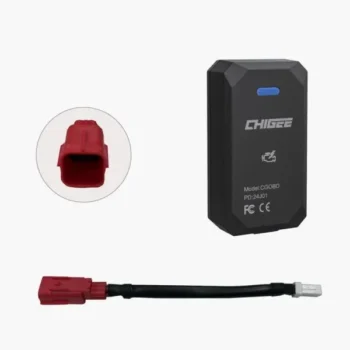 Chigee-OBD Wireless Module (MFP0114) - CHIGEE
HSN code: 87141090
1 × Rs.10,000.00













BluArmor C50 Plus Bluetooth Helmet Intercom
Rs.18,999.00
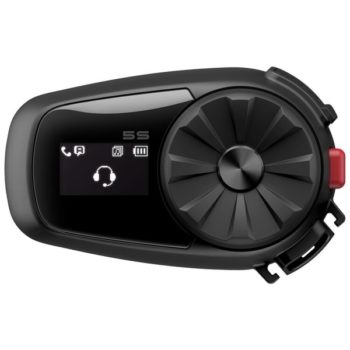
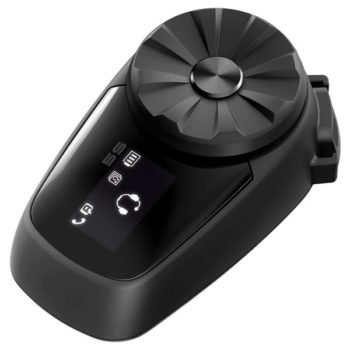
The BluArmor C50 Plus Bluetooth Helmet Intercom enhances your ride with wireless TStick control, HD audio, and seamless mesh communication — packed into a rugged, aerodynamic setup.
Available!
Brand:Bluarmor


The BluArmor C50 Plus is a wireless Bluetooth helmet intercom designed for motorcycle riders who need hands-free communication, music streaming, and navigation audio. Built by India’s BluArmor brand, the C50 Plus offers universal helmet compatibility with easy installation, making it ideal for riders upgrading from wired systems or adding communication to any helmet type.
Technical Specifications
| Specification | Details |
|---|---|
| Brand | BluArmor |
| Model | C50 Plus |
| Product Type | Bluetooth Helmet Intercom |
| Connectivity | A2DP, HFP, AVRCP |
| Compatible Helmets | Universal (Full-face, Modular, Open-face) |
| Mounting Type | Clip-mount with adhesive backing |
| SKU | BLU-ARMOR-C50PLUS |
Key Features
Wireless Rider Communication: Enables hands-free intercom communication between riders without the limitations of wired systems, allowing you to coordinate group rides or communicate with your pillion passenger.
Multi-Device Connectivity: Handles phone calls, music streaming, and GPS navigation audio simultaneously, letting you stay connected while keeping both hands on the handlebars.
Universal Helmet Compatibility: Designed to fit any helmet type with adjustable speaker and microphone positioning, eliminating the need to buy brand-specific helmets or proprietary mounting systems.
Voice Command Support: Activate voice assistants and control basic functions through voice commands, reducing the need to fumble with buttons while riding.
Use Case Scenarios
- Group touring communication – coordinate pit stops, route changes, and hazard warnings with riding companions on highway trips
- Pillion passenger interaction – maintain clear conversation with your passenger without shouting over wind and engine noise
- Daily commute connectivity – take work calls, listen to music, and follow GPS navigation instructions on your daily ride
Why Choose the C50 Plus?
- Universal design works with your existing helmet collection without requiring expensive communication-ready helmets
- Indian brand with local warranty support and customer service understanding regional riding conditions
- Affordable entry into helmet communication compared to international premium brands while delivering essential features
- Simple installation process with clip-mount system that doesn’t require permanent modifications to your helmet
Pros & Considerations
Pros:
- Works with any helmet brand and style, offering flexibility for multi-helmet owners
- Handles calls, music, and navigation simultaneously without audio interruption
- Voice command functionality reduces distraction while riding
Considerations:
- Intercom pairing works best with same-brand units – cross-brand compatibility with other Bluetooth systems may be limited
- Clip-mount design means the unit protrudes from helmet side, unlike integrated systems in premium communication helmets
Frequently Asked Questions
Q: How do I pair the C50 Plus with my phone?
A: Power on the device, press and hold the multifunction button until the LED flashes red and blue alternately (pairing mode), then select “BluArmor C50 Plus” from your phone’s Bluetooth menu. Once connected, it will auto-reconnect when both devices are powered on.
Q: Can I use this with my existing BluArmor unit or does my riding partner need the same model?
A: BluArmor devices typically pair best with other BluArmor units. For intercom functionality with your riding group, it’s recommended that all riders use BluArmor systems. Phone connectivity and music streaming work independently regardless of what others use.
Q: Will this fit my half-face or modular helmet?
A: Yes, the C50 Plus has universal mounting with adjustable speaker and microphone placement. The clip attaches to the helmet shell exterior while speakers position inside the ear pockets. The boom microphone adjusts for both full-face (internal placement) and open-face helmets (external positioning).
Q: Can I listen to music while using the intercom feature?
A: Yes, music plays in the background and automatically lowers in volume when intercom communication is active or when a phone call comes in. Audio priority typically goes: phone calls (highest), intercom, then music/navigation.
Q: How do I charge the device and what cable does it use?
A: The C50 Plus charges via the included USB cable. Connect the cable to the device’s charging port (typically micro-USB or USB-C depending on the unit) and plug into any standard USB power source. The LED indicator shows charging status – red while charging, changing to blue or green when fully charged.
Shop the BluArmor C50 Plus at Custom Elements with fast shipping across India. Complete your riding setup:
- Full-Face Helmets – pair with communication-ready padding
- Bluetooth Systems – explore other communication options
- Mounts & Accessories – add phone navigation mounts
The BluArmor C50 Plus transforms any helmet into a connected communication hub, keeping you linked with your riding group and essential calls without compromising safety.
| Returnable/Not Returnable | Not Returnable |
|---|---|
| HSN code | 85183011 |
Be the first to review “BluArmor C50 Plus Bluetooth Helmet Intercom”
You must be logged in to post a review.
Shipping:
Products will be dispatched within 2 working days after receiving order.
Standard delivery time once dispatched is 3-10 days based on your location. Subject to change as per courier partner.
We use the best courier services but there might be delay in the transit by the shipping company which is not in our control. Order cancellation will not be accepted incase of delay in delivery.
Exchange/Returns:
Exchange/Returns will be accepted if request is raised within 2 days from the date of delivery of the product provided it satisfies our Exchange/Returns Policy.
DO NOT REMOVE TAGS OR STICKERS FROM THE PRODUCTS ELSE RETURN/EXCHANGE WILL NOT BE ACCEPTED UNDER ANY CIRCUMSTANCES.
Following items are not allowed for returns.
- Accessories & Merchandise
- Items Marked “Non-Returnable” (clearly indicated on the product page before placing your order)
- Items sold on Sale or Discounts
- Innerwear
- Special/Pre-ordered ordered items
- Customized Items
Forward shipping charges are subjected to be deducted from the refund.
Warranty:
All the products sold on our website are genuine. Standard warranty as promised by brands is applicable. Kindly check Additional Information tab for warranty information for the product. To confirm the final warranty period & other terms and conditions kindly get in touch with the respective brand of the product.
Custom Elements helps by facilitating the warranty but the final call on acceptance of the claims is at the sole discretion of the brand or it's official representative. Custom Elements take no responsibility for the rejected claims. The items on stock clearance are not applicable for warranty.




Reviews
There are no reviews yet.